

1. Call for Authors
2. Review of Article Submissions
3. Publication of Newsletter Articles on Blog
4. Blog Articles Shared on Social Media
5. Collect Articles Submitted into an Draft Outline in Document Format
6. Newsletter Draft Review
7. Newsletter Layout in DTP Format
8. Post Layout Review of Newsletter Issue by TCD
9. Final Review of Newsletter Issue by ATA Headquarters
10. Publication of Approved Newsletter to ATA-TCD News Page
After the newsletter issue has been approved by ATA Headquarters, a low-res PDF of the newsletter that is less than 2 MB needs to be added to the ATA-TCD News page on ata-tcd.com. The link to the newsletter is needed for the email broadcast sent out by ATA Headquarters to TCD Division members.
The naming conventions for newsletters uploaded to our website are as follows:
- ATA-TCD-News_Issue-1-Fall-2018.pdf
- ATA-TCD-News_Issue-2-Spring-2019.pdf
- ATA-TCD-News_Issue-3-Fall-2019.pdf
To add the PDF to the website, login to the ata-tcd.com/admin_ata WordPress site with an administrator’s login. Reach out to the TCD Administrator if you need this login. Navigate to Media > Add New and then drop or select files to upload.
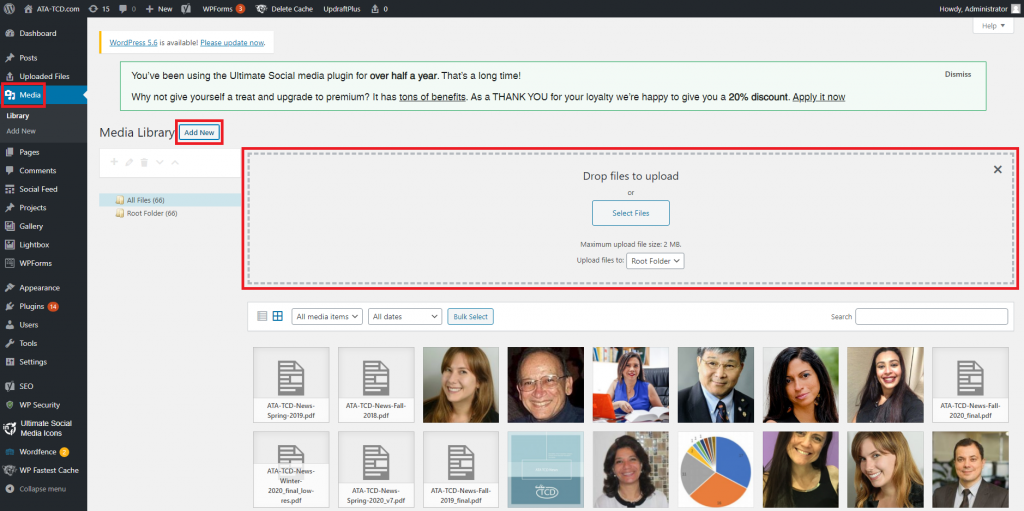
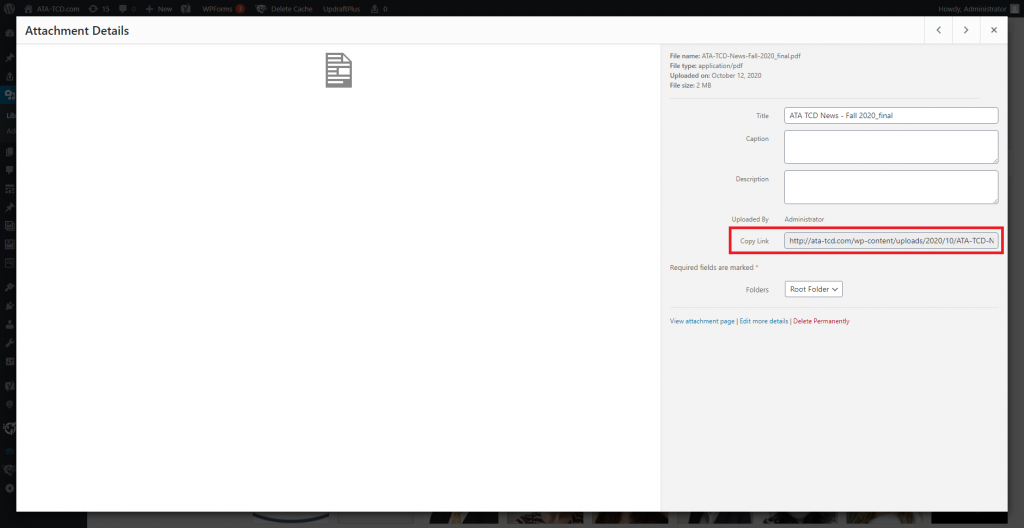
After the PDF has been uploaded, collect the link by clicking upon the document and copying the link. The link is needed when updating the ATA-TCD News page.
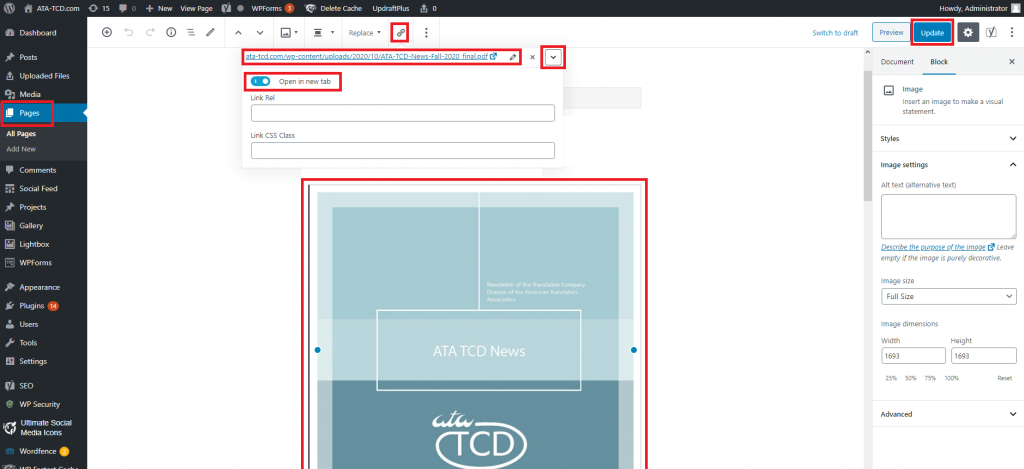
Next, navigate to Pages (WordPress side menu) > ATA-TCD News. Click the large image of the front cover of the ATA-TCD News newsletter. Then click the link icon. Click the pencil icon to update the link. Click the dropdown menu to set the link to be opened in a new tab. Press the Update button to update the ATA-TCD News page.
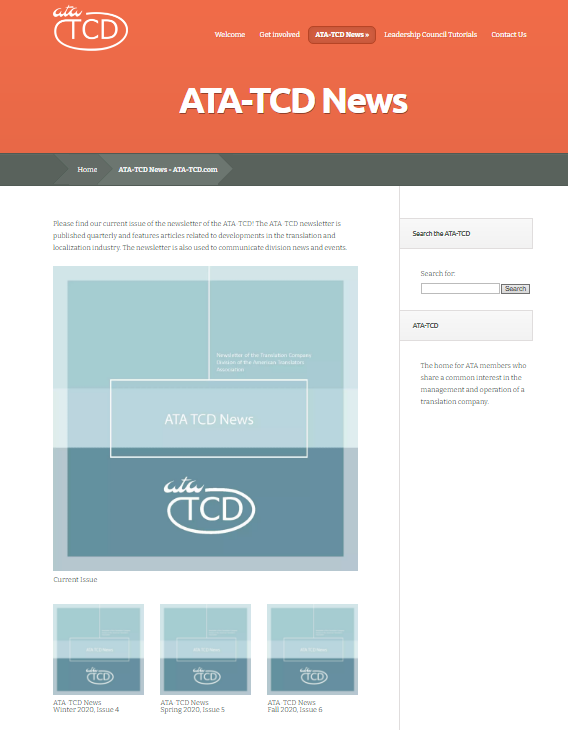
After the current issue link has been updated on the website, verify that the link works. Then share the link with ATA Headquarters so that the broadcast notifying TCD members that the issue is online can be sent.
11. Publishing the newsletter articles individually on the ATA-TCD blog.
Each ATA-TCD news article is published in an individual blog post under a WordPress category for that issue. The categories are named based on the following conventions:
- ATA-TCD News, Issue 1, Fall 2018
- ATA-TCD News, Issue 2, Spring 2019
- ATA-TCD News, Issue 3, Fall 2019
To add a new category for the current issue, navigate to Categories. Then Click Add New Category.
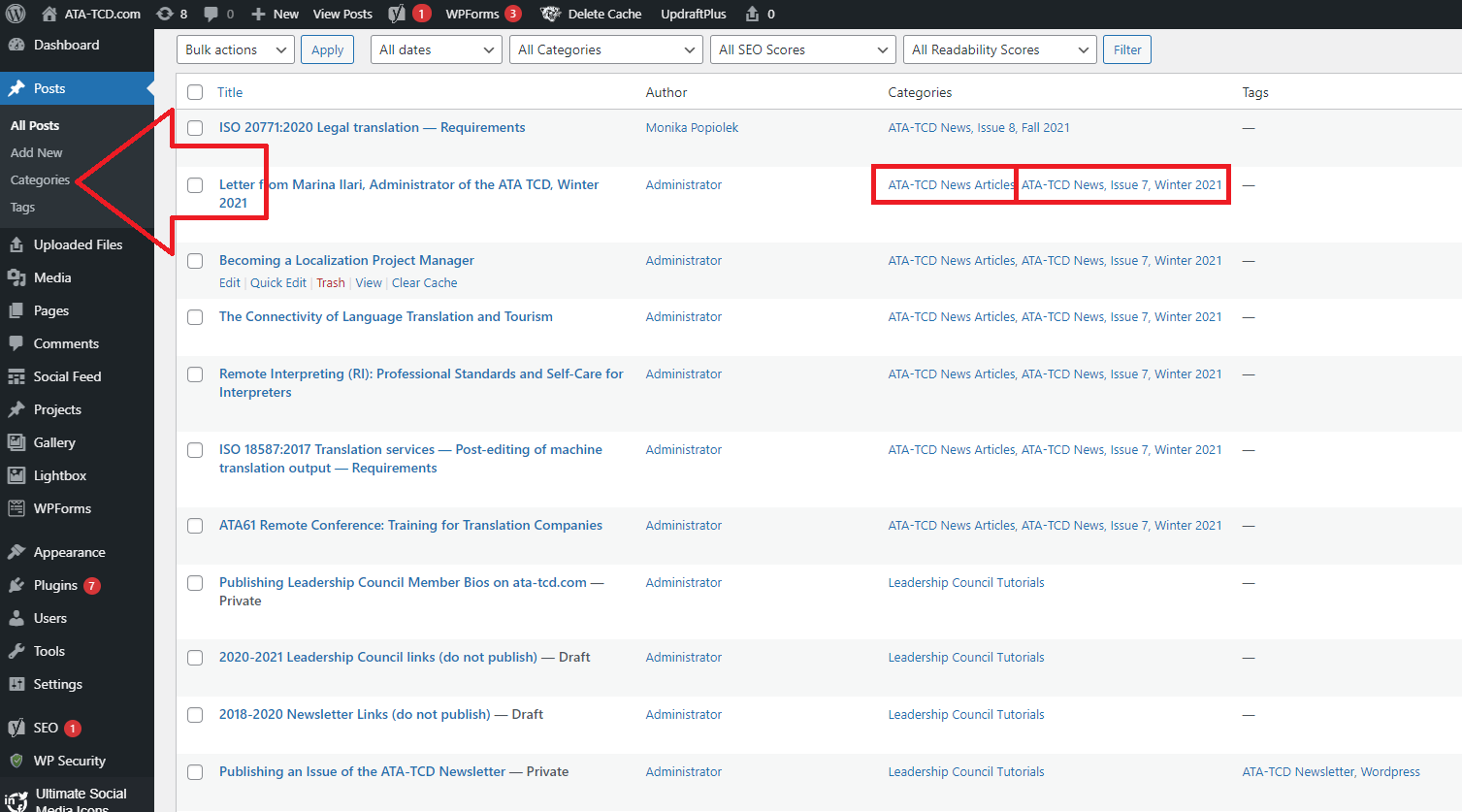
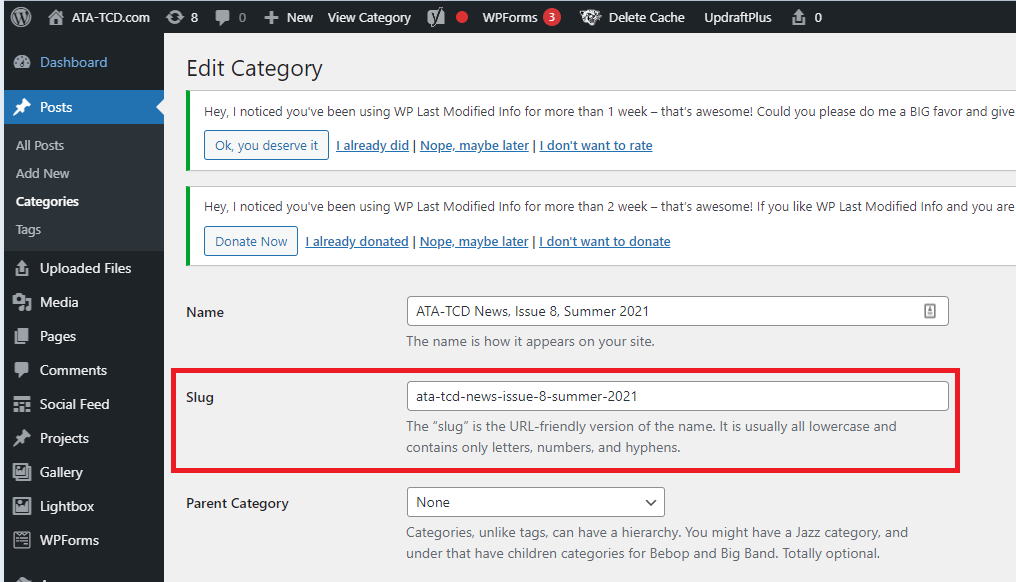
Once your category has been added, collect the slug, or the URL-friendly version of the category name that users can click to access all of the newsletter articles published under that category on one webpage.
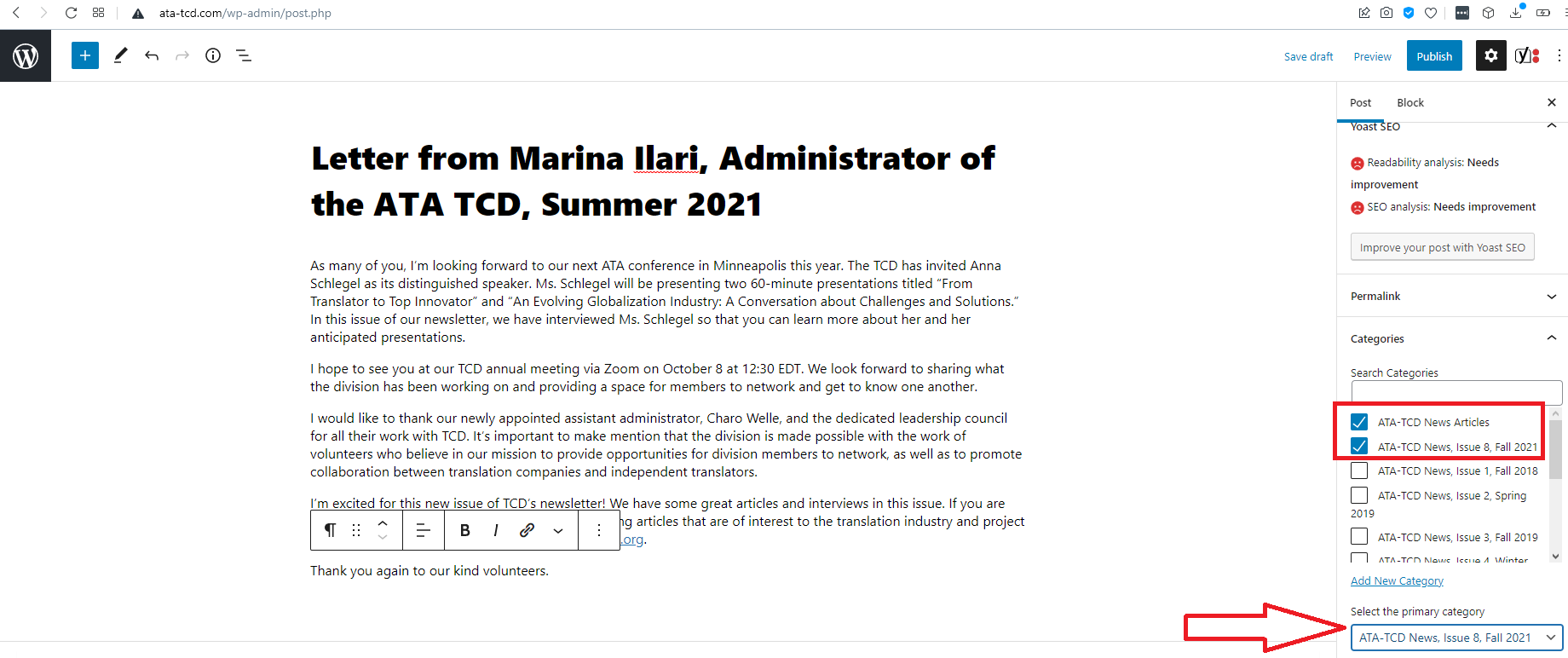
Once the category for the current issue has been added, publish each article from the issue as an individual blog post, starting with the Letter from the Administrator. Copy the final article content from the PDF into an MS Word file and then from the MS Word file into the blog post – this way the article published online will be a match to the final article published in the newsletter. If the article is copied directly from the PDF to the blog post, some formatting issues may occur. Recreate headers and formatting like bold and italics as best as possible in the blog post. Add links to external webpages as necessary, and it’s nice if those links are set to open in another tab.
When you’re finally ready to publish each blog post, select the categories the post should be published under, which include: ATA-TCD News Articles AND the category for the issue. Be sure to set the category for the issue as the primary category.
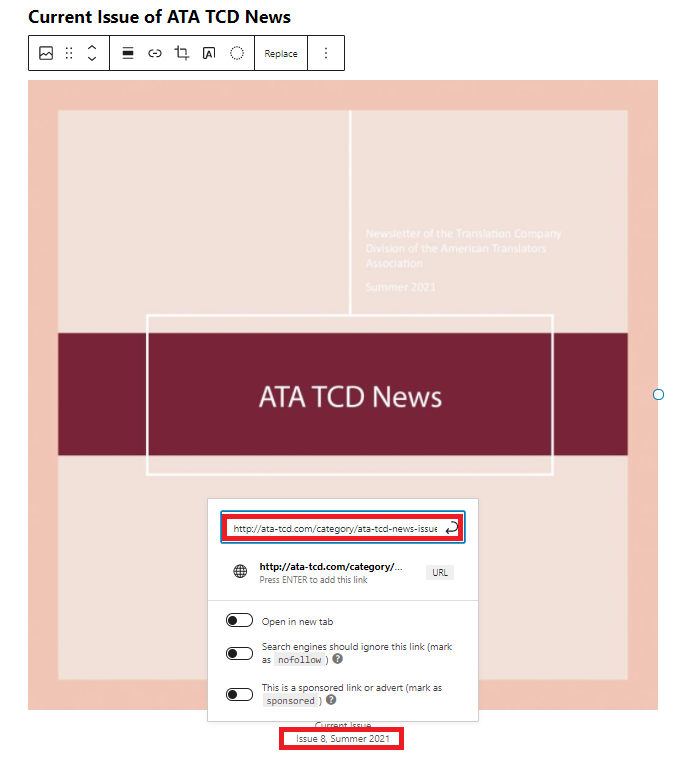
Once all the newsletter articles from an issue have been published on the blog, insert a link to the Category slug, which for Issue 8 would be http://ata-tcd.com/category/ata-tcd-news-issue-8-fall-2021/. Insert the link in the caption to the image of the current issue of the newsletter, so in the example pictured, the linked text would be Issue 8, Summer 2021. This way, readers can access the PDF version of the newsletter by clicking the picture of the cover of the issue of the newsletter, and readers can access all of the blog posts of the articles by clicking on the link to the slug under the Issue number.
Recent Comments